

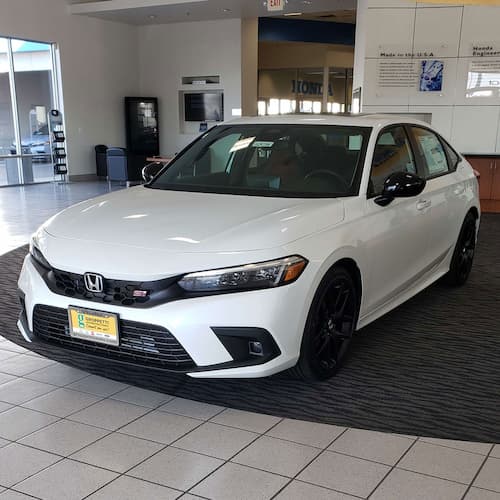
Honda’s Remote Engine Start lets drivers in Visalia enjoy a car that’s already at the perfect temperature, whether warming up on chilly winter mornings or cooling down during summer’s heat. Available on various Honda models, the system allows for remote engine operation while locking the doors for added convenience. Using either the key fob or the HondaLink app, you can start, stop, or extend the engine’s runtime with ease while keeping safety and battery considerations in mind. Knowing how to use this feature allows you to enhance every drive with comfort and convenience.
Step Into Comfort Before You Drive
Honda’s Remote Engine Start is all about making your drive more comfortable and convenient. Imagine stepping into a car that’s already at the perfect temperature, whether it’s a hot summer day or a chilly winter morning in Visalia. This feature allows you to start your car’s engine remotely, ensuring the cabin is just right when you’re ready to go.
While the engine is running, your car remains secure with the doors locked. The system also smartly adjusts the climate control to heat or cool the cabin based on the outside temperature. This is especially helpful in Visalia’s extreme weather conditions. Knowing how to use this feature means you can enjoy a more pleasant drive every time you drive.
How to Use Honda Remote Start: Step-by-Step Instructions
Getting started with Honda’s Remote Engine Start is simple. These Honda remote start instructions will guide you through using either the key fob or the HondaLink app to pre-warm or cool your cabin before you drive.
Using the Honda Key Fob for Remote Start
To start your car remotely with the key fob, first ensure all doors are locked by pressing the lock button. Then, press and hold the button with the circular arrow symbol for a few seconds. The engine will start, and you’ll see the lights flash as confirmation. To turn off the engine, just press and hold the remote start button again. This method is ideal for setting the cabin temperature before you head out.
Using the HondaLink App for Remote Start
If you prefer using your smartphone, the HondaLink app offers a handy alternative. After downloading and setting up the app, navigate to the remote start option. With a tap, you can start or stop the engine and even extend the run time if needed. The app enables greater control from a distance, making it ideal for those who prefer to plan ahead.
Honda Models Offering Remote Start
Honda’s Remote Start feature is available on popular models like the Accord, Civic, CR-V, Pilot, and Ridgeline. Each model offers its own set of features, but they all include the convenience of starting your car remotely. When shopping for a new Honda, check the specific model and trim to ensure it includes Remote Start, as availability can vary.
Safety and Battery Tips
Honda designed Remote Engine Start for convenience, but following a few precautions helps you operate it smoothly and safely. The system will not start if the hood is open or the vehicle is not in park. Parking in a well-ventilated area helps prevent carbon monoxide buildup. To protect battery life, avoid repeatedly using Remote Start during extreme heat or cold, and schedule regular battery checks to maintain reliable performance. Following these simple practices lets you enjoy a comfortable cabin without unexpected interruptions.
Comfort and Convenience, Ready When You Are
The Honda Remote Engine Start feature adds comfort and convenience to your drive, especially in Visalia’s changing weather. It lets you adjust your car’s temperature before you even get in. If you’re interested in this feature, visit Visalia Honda for more information. Whether you need help activating or troubleshooting, the team at Visalia Honda is ready to assist you in getting the most out of your vehicle’s technology.
Connect with us


